Builder's Guide · Credits and plans
What AI and Server credits pay for
2 min read ·
Your organization has two kinds of credits, each with its own balance. They are never added together, and you can’t move credits from one to the other.
AI credits
AI credits pay for building and changing apps, and for the AI inside them:
- Creating an app from a template: 20 AI credits.
- Changes: talking, mockups and the written-down change as they happen, and the build — only if it passes. A typical change uses about 1–10 AI credits. Applying a change, or rolling one back, costs nothing.
- A template’s new version: like any change.
- The AI inside your apps: chat answers, summaries, reply drafts, reading files — whatever AI features your app has switched on. An AI feature that is switched off uses nothing.
- jaAI in JaMake.
Server credits
Server credits pay for running live apps. Each live app’s day is worked out the next day from what it used: its share of the server, its database, files and backups by size, data sent out, and e-mails sent. An app that isn’t live — and the Changes screen itself — uses no Server credits.
Which credits are used first
Each balance holds your plan’s credits and any extra credits you bought. JaMake uses the plan’s credits first, then the extra ones. Plan credits left at the end of the month are not carried over; extra credits never expire.
See what you use
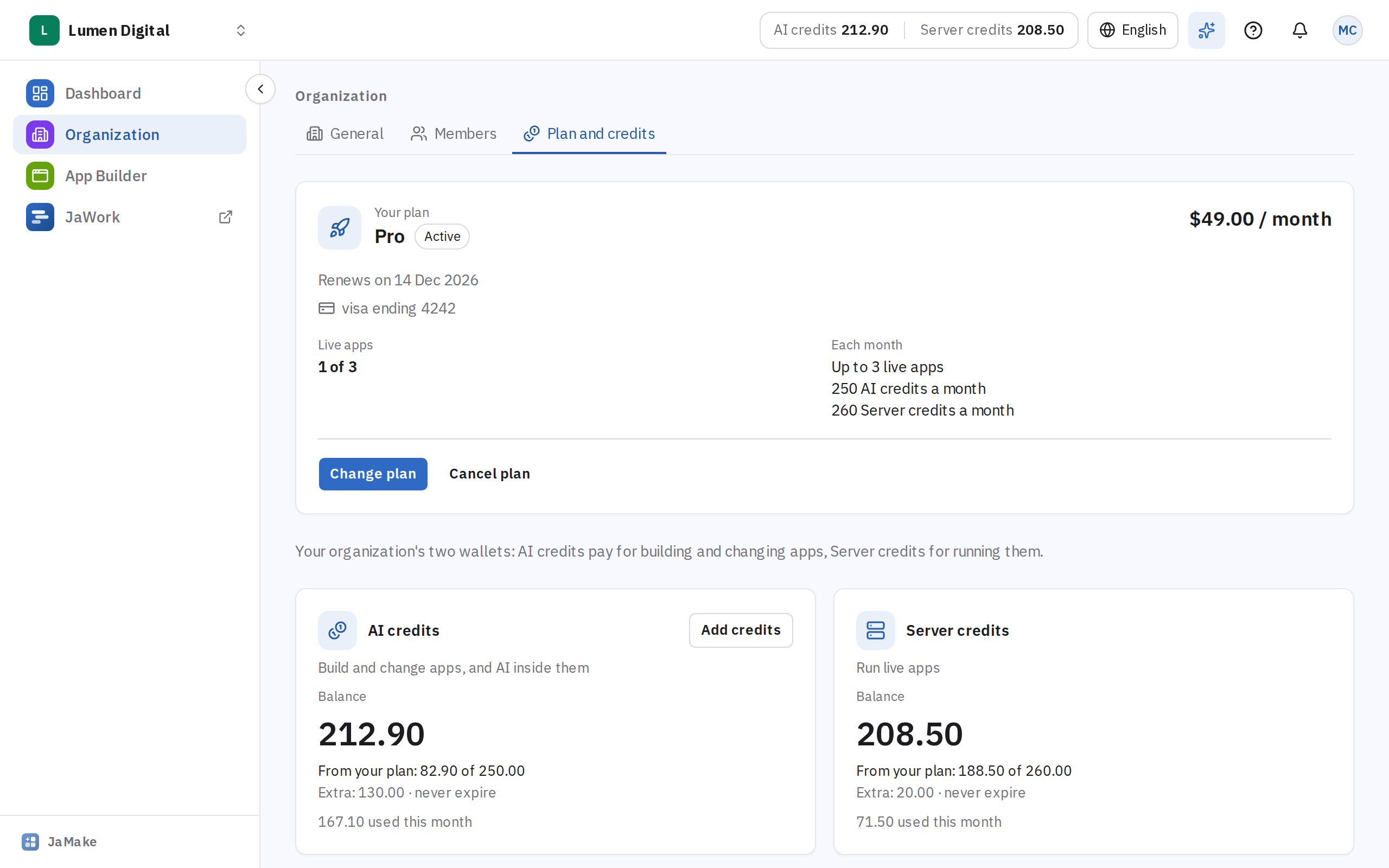
- Open Organization and the Plan and credits tab.
- The AI credits and Server credits cards show the Balance, how much is left from your plan, your extra credits, and what was used this month.
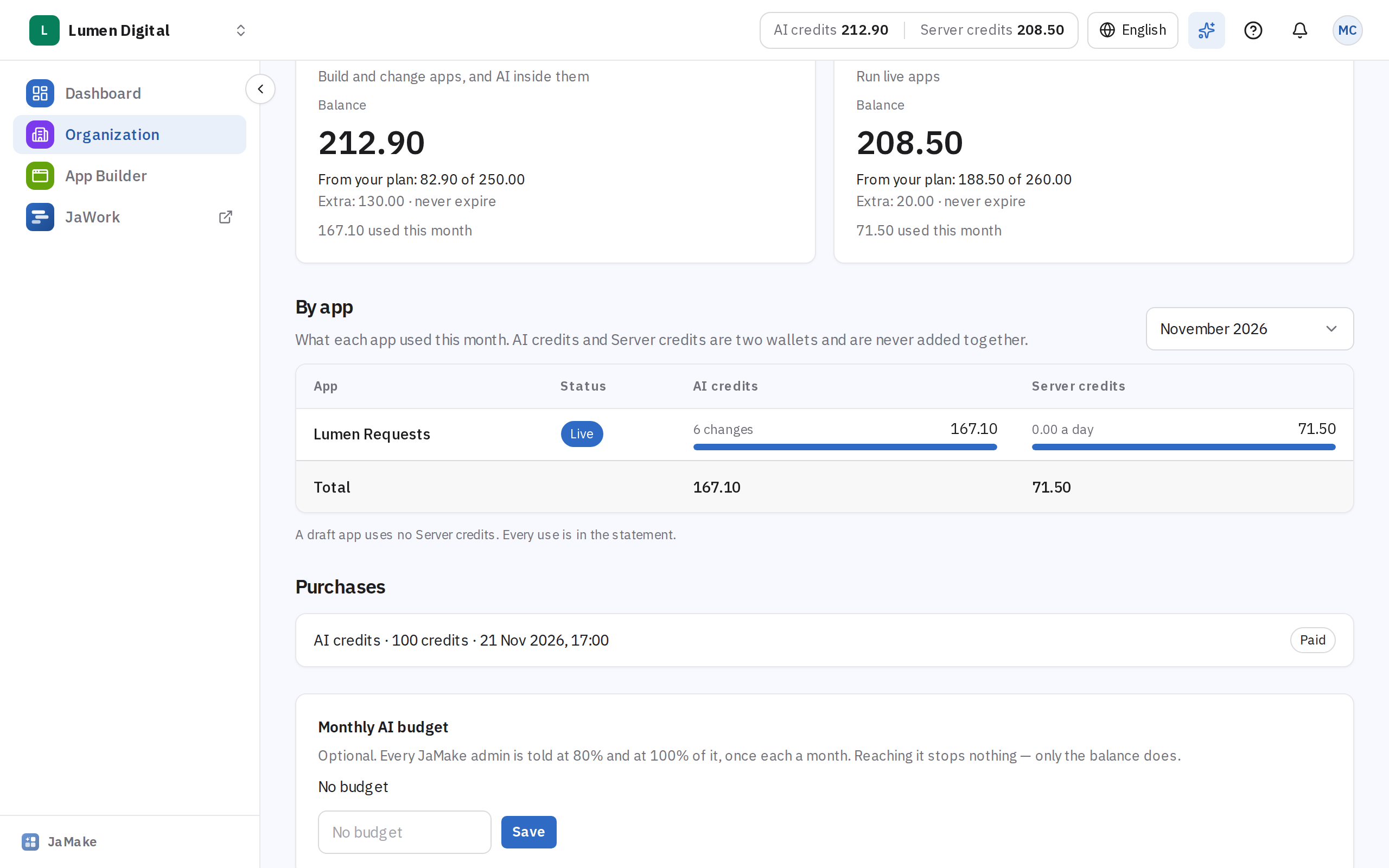
Further down, By app shows each app’s AI and Server credits this month, and Usage by change what each change used. The Ledger lists every credit in and out.
For one app, its admins can open App settings and the Credits and Usage tabs.
Tip: Plan the bigger changes after your plan’s credits arrive each month — see Plans, live apps and extra credits.
Was this helpful?
Thank you — it helps us improve the guide.