Builder's Guide · Your organization
Members and roles
1 min read ·
The people in your organization who use JaMake each have a JaMake role. People who only use your apps don’t need one — each app’s sign-in decides who can open it.
The three roles
- Admin — everything a Builder does, plus the plan, credits and payments, the organization’s settings, and deleting any app. The organization’s owner is always an Admin.
- Builder — creates apps, talks with JaMake, and builds and applies changes, within each app’s own roles. Someone without a role set is a Builder.
- Viewer — sees the apps they can open and their history, and changes nothing.
Inside each app there are also app roles — see Bring your team into the app.
See who is in
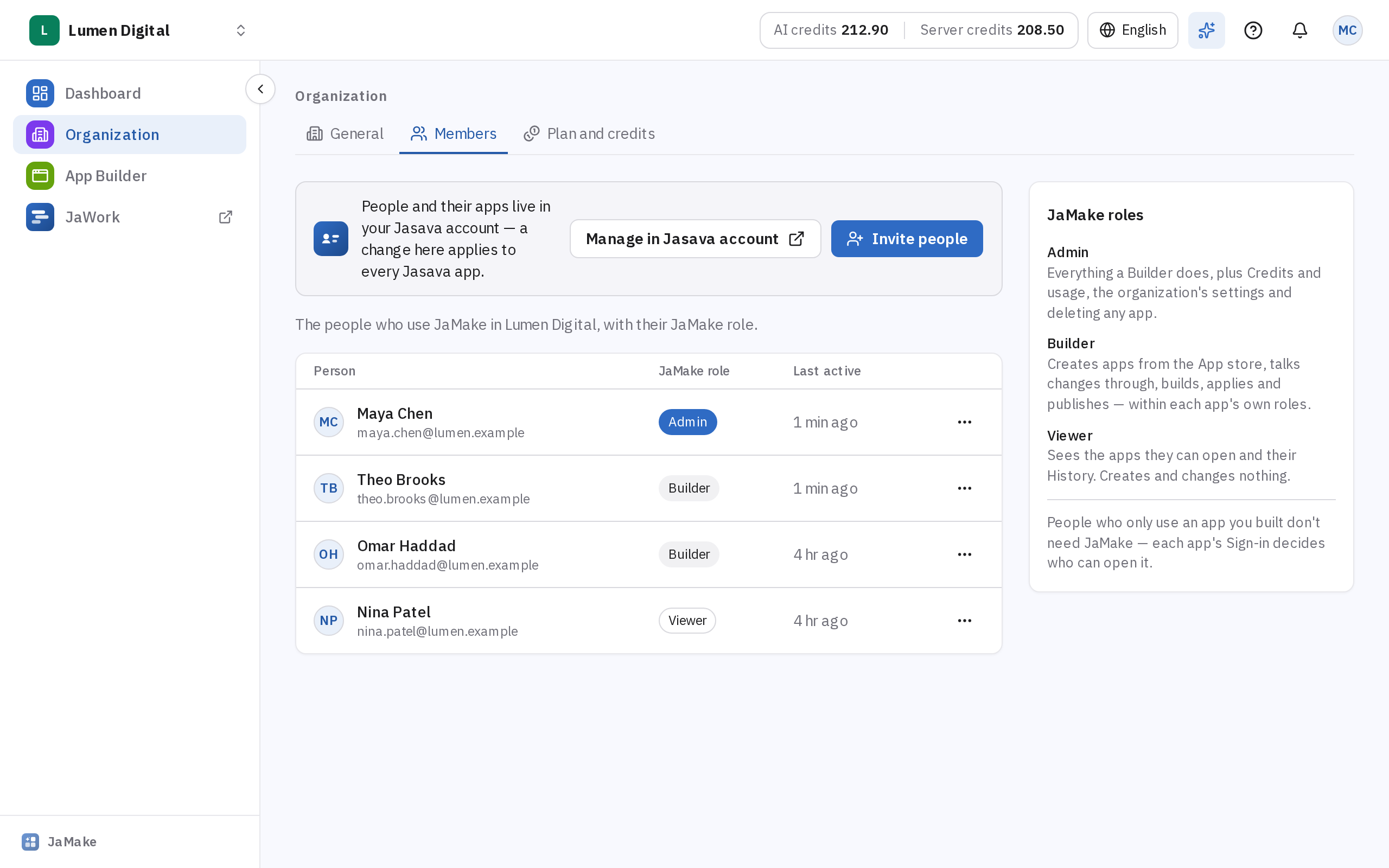
- Open Organization and the Members tab.
- Each person shows their JaMake role and when they were Last active. The JaMake roles panel explains the roles.
Invite people and change roles
People, their roles and their access are kept in your organization’s Jasava account, so JaMake and JaWork share them. Your organization’s owner and the account’s admins see these buttons:
- Invite people — invite someone to the organization.
- On a person’s ⋯ menu: Change role in JaMake, Change apps, Remove JaMake access and Remove from organization.
Each one opens the Jasava account in a new tab, with that person already chosen. Make the change there; when you come back, the list is up to date. Everyone else sees the list without these buttons.
Tip: Someone in your organization without JaMake can ask for it: after they sign in to JaMake, they press Request JaMake.
Next: Paying for JaMake.
Was this helpful?
Thank you — it helps us improve the guide.