Builder's Guide · Credits and plans
Plans, live apps and extra credits
2 min read ·
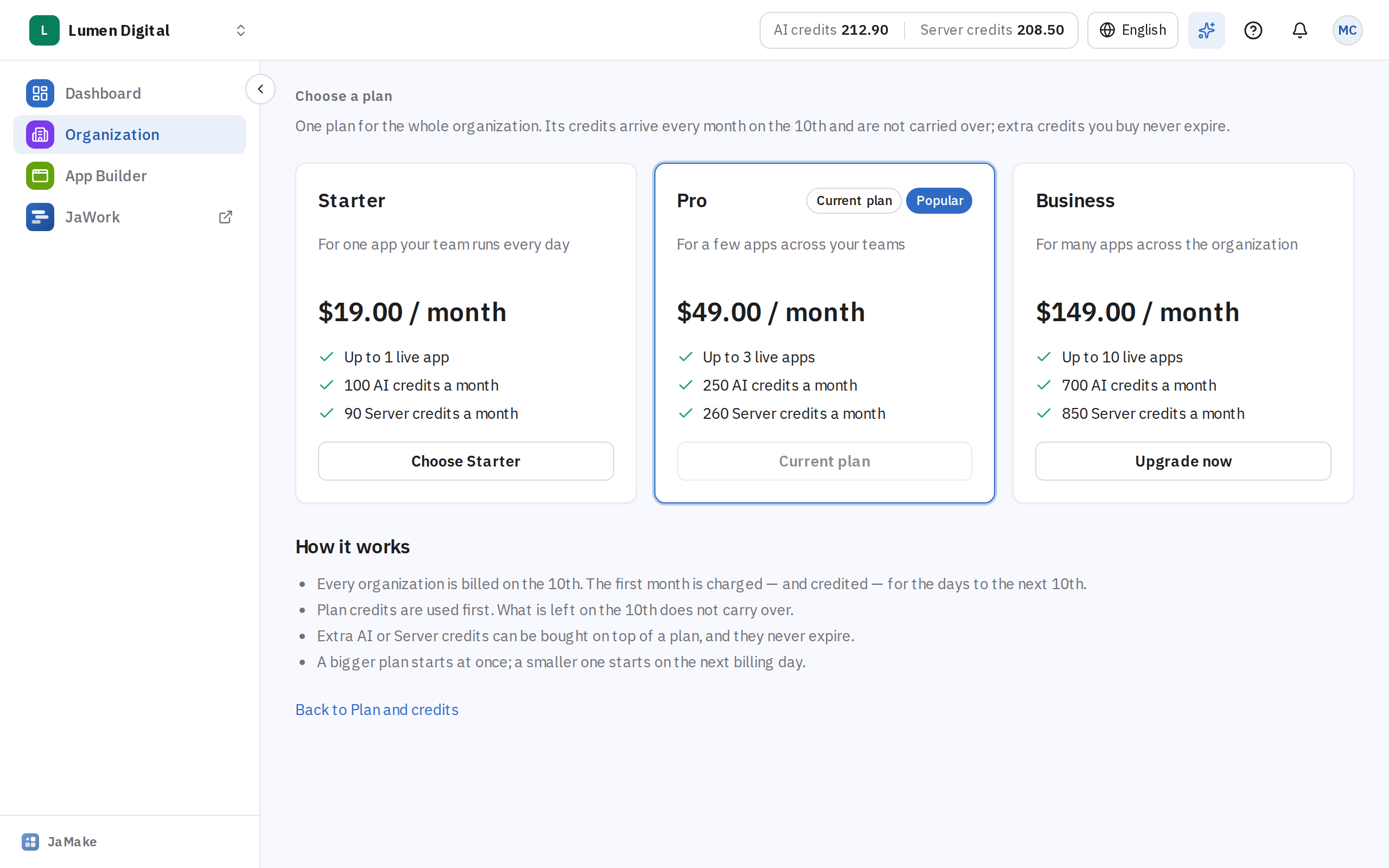
Your organization has one plan, paid monthly. The plan sets how many apps can be live at once — “up to” a number — and the AI and Server credits that arrive each month. There are no seats: everyone in your organization and every person using your apps is included. Today’s plans and prices are on Pricing.
Choose a plan
- Open Organization, then the Plan and credits tab.
- Press Choose a plan (or Change plan once you have one). The plans open side by side, your current one marked Current plan.
- Press the Choose … button under the plan you want (Upgrade now for a bigger plan), then Confirm.
- Your first plan is paid on a secure payment page. Back in JaMake, the plan is active once the payment is confirmed.
Only JaMake Admins choose the organization’s plan.
When a change of plan starts
- A bigger plan starts now: you pay for the days left this month, and its extra credits arrive at once.
- A smaller plan starts on your next billing day. Until then, the Keep … button keeps your current plan.
- If the smaller plan runs fewer live apps, you pick which apps keep running. The others stop on that day; their data is kept.
- Cancel plan ends the plan at the end of the billing month. Resume undoes it until then.
Live apps
An app counts toward your plan while it is live. When you reach the limit, creating, publishing or starting another app offers to upgrade to a bigger plan, or to stop an app first. During the free trial one app can be live.
Extra credits
When the month’s credits aren’t enough:
- On the AI credits or Server credits card, press Add credits.
- Pick a pack and press Buy. It is charged to your organization’s saved card.
Extra credits are used after the plan’s credits and never expire. Only JaMake Admins can buy them; Purchases lists what was bought.
Tip: Need more live apps rather than more credits? That’s a bigger plan, not extra credits.
Was this helpful?
Thank you — it helps us improve the guide.