Builder's Guide · Changes
Describe a change in your own words
2 min read ·
You change an app by telling JaMake what you want, the way you would tell a colleague. JaMake reads your app, asks what it needs to know — one question at a time — and then draws the change for you to see. Nothing in the live app changes while you talk.
Start a change
- Open App Builder and press your app’s card. The app’s Changes screen opens.
- Press New change at the top of the chat. JaMake asks What would you like to change?
- Type the change in your own words — for example, “Add a budget code to every purchase request”. You can Attach a file or a picture too.
- Press Send.
Write in the language you work in: JaMake answers in the same language.
Answer JaMake’s questions
JaMake reads your app first (“Reading your app and thinking…”), then asks one question at a time. When there are only a few likely answers, it shows them as buttons — pick one, or type your own answer.
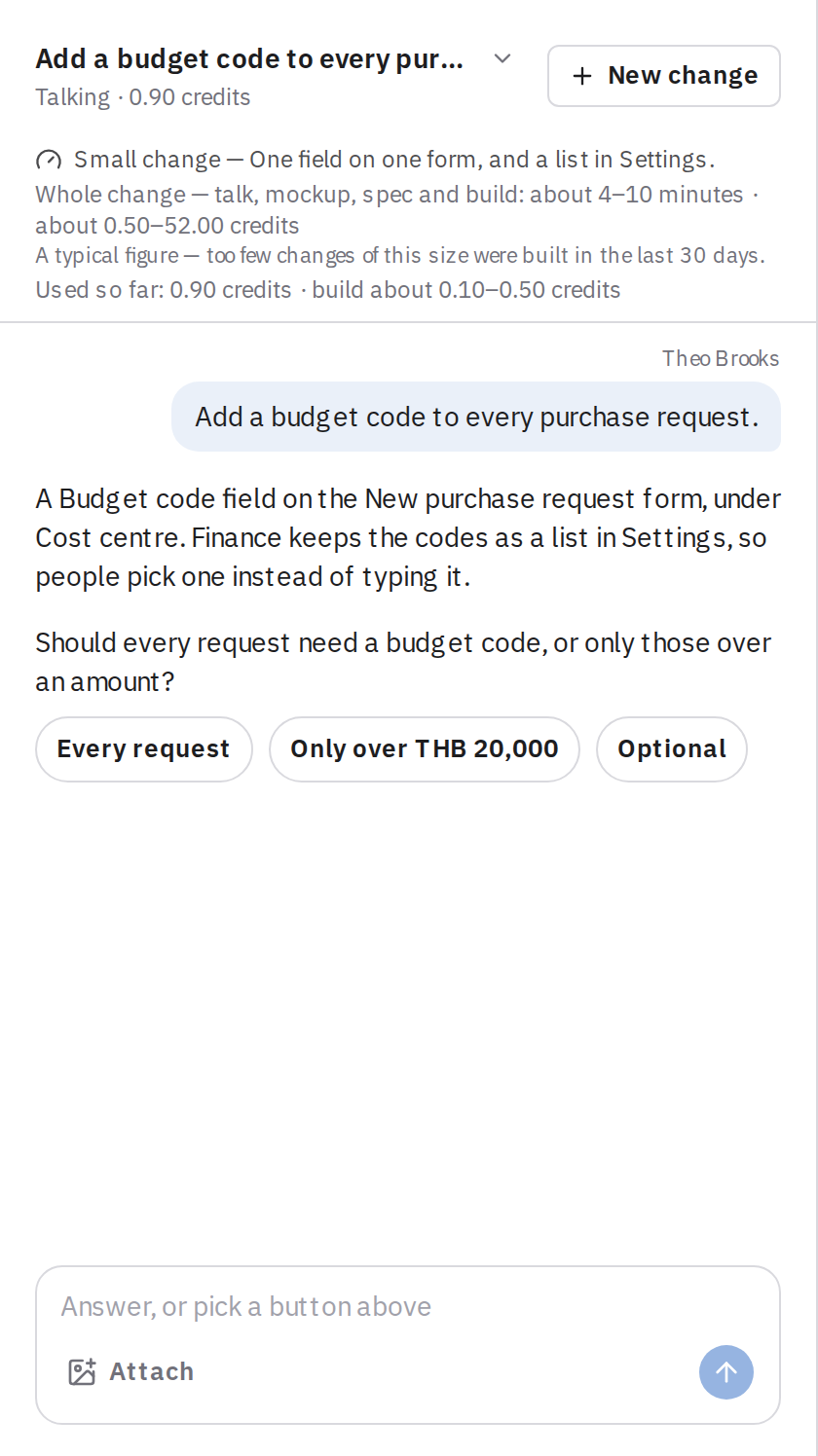
JaMake gives the change a size — small, medium or large — and under its title you see about how many minutes and credits the whole change takes, and what it has used so far. A typical change uses about 1–10 AI credits.
When it has what it needs, JaMake says Clear enough to draw, and draws the change in your app’s look. See See it before it is built.
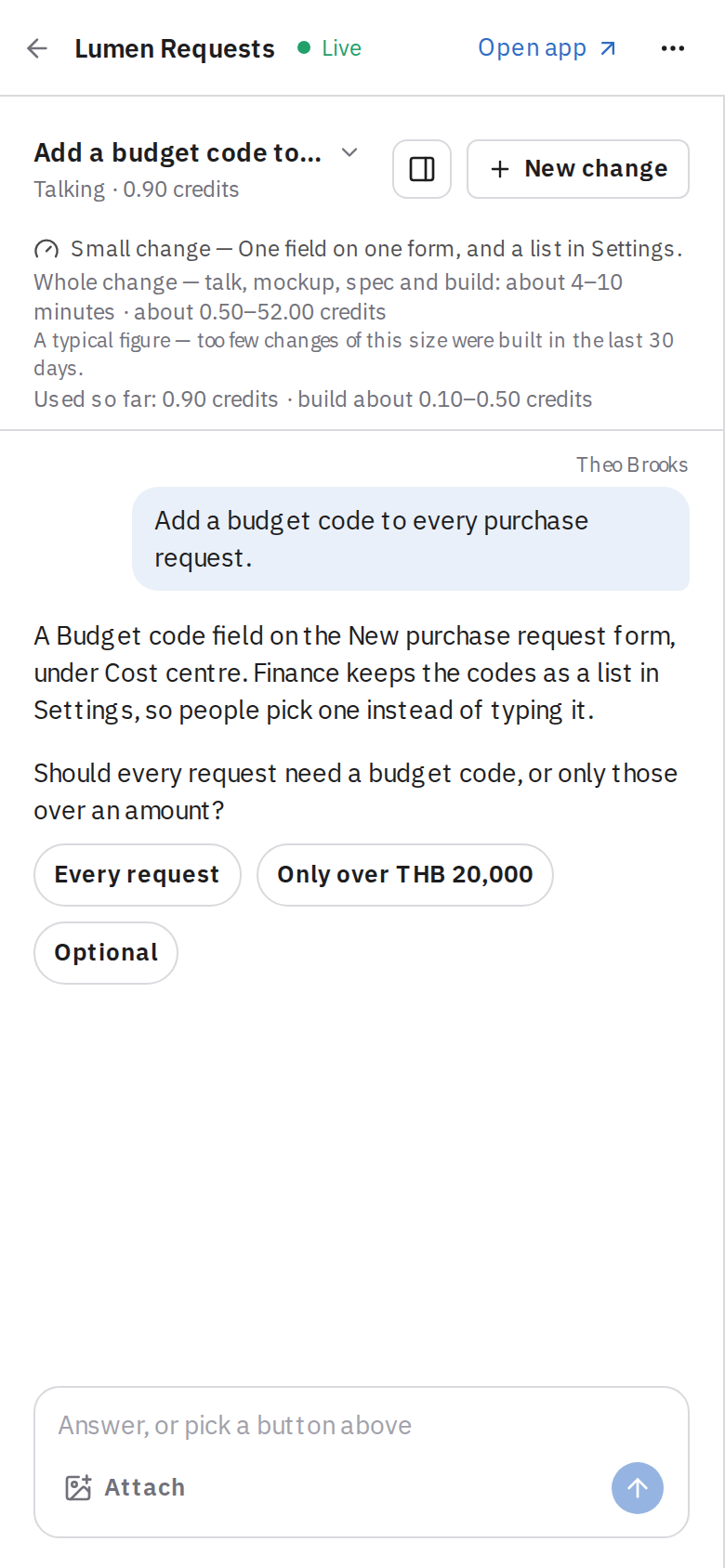
Your changes
- The list at the top of the chat shows your app’s changes In progress, in the Build queue and Done, and All changes and versions.
- To drop a change, open the ⋯ menu and choose Discard with the change’s number, then press Discard to confirm (or Keep it). Credits it has already used are not refunded.
- Talking uses AI credits by what JaMake reads and writes. With no AI credits left, the box says Needs AI credits.
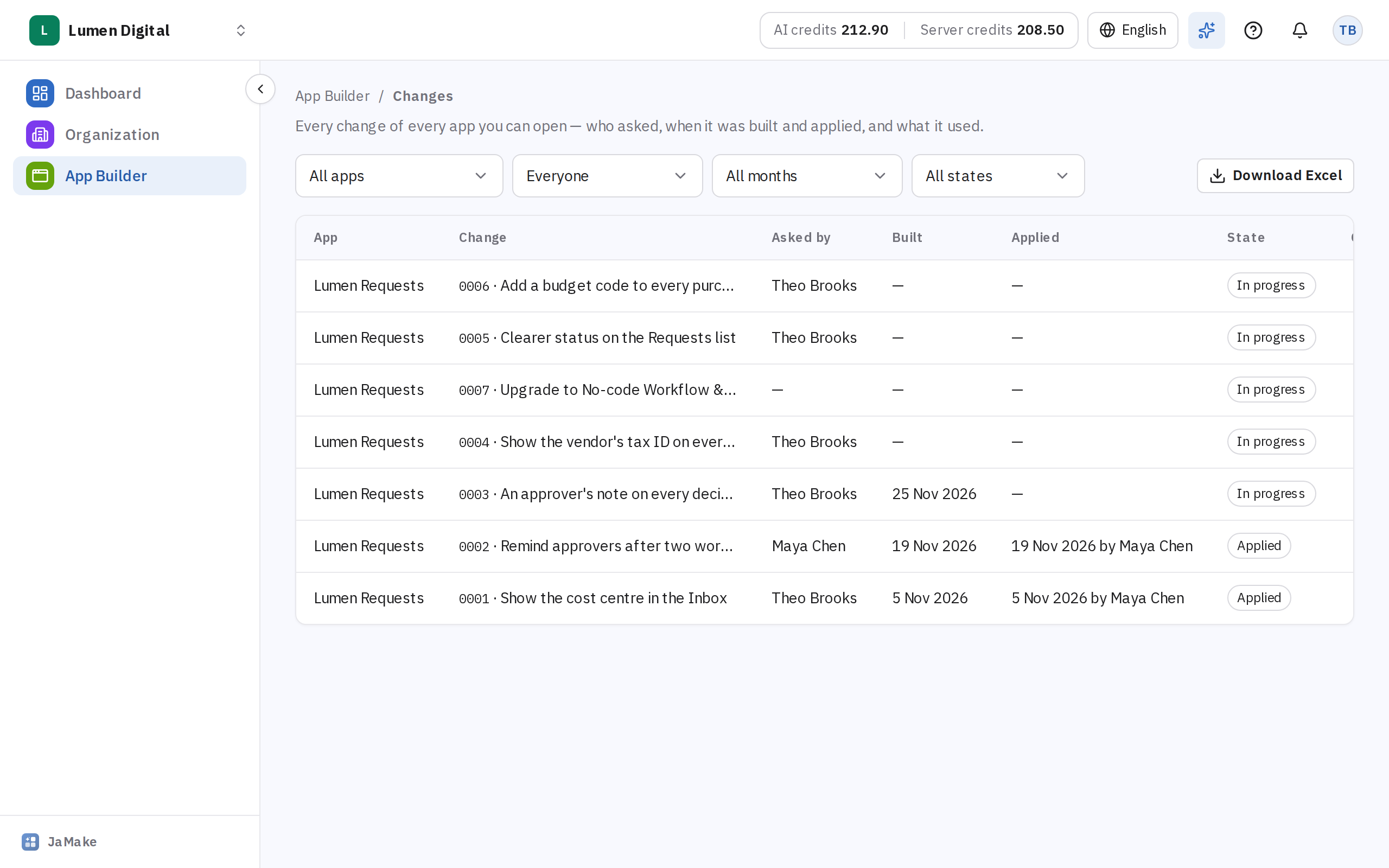
To see every change in your organization, open App Builder and press Changes: each change, who asked for it, when it was built and applied, and its credits. Download Excel saves the list.
Tip: Easier to show than to say? Point at the spot on the screen with Capture.
Was this helpful?
Thank you — it helps us improve the guide.