Builder's Guide · Credits and plans
When credits or a payment run out
2 min read ·
JaMake warns you before credits run out, gives you time to add more, and keeps your data whatever happens. Here is what happens in each case.
AI credits reach zero
- Building and changing apps stops, and no new app can be created. The chat says Needs AI credits.
- Your live apps keep running. Only their AI features pause — for example, the app’s chat says it is paused.
- Add AI credits, or wait for your plan’s next month, and everything works again at once.
Server credits reach zero
- When the Server credits are about to run out, JaMake sends an e-mail and a notice on the bell.
- When the balance reaches zero, a grace period starts. A banner on every page says when your apps pause, and each app’s card counts down the days. JaMake reminds you again before the day.
- If no credits are added by then, every live app pauses. People who open it see that it is paused for now; nothing on the page mentions credits. The data and the backups are kept.
Starting again is automatic. As soon as the Server balance is above zero — you bought credits, or your plan’s month began — paused apps start by themselves within a few minutes.
An app that stays paused for a long time is deleted. JaMake e-mails you well before, and again close to the day.
A payment fails
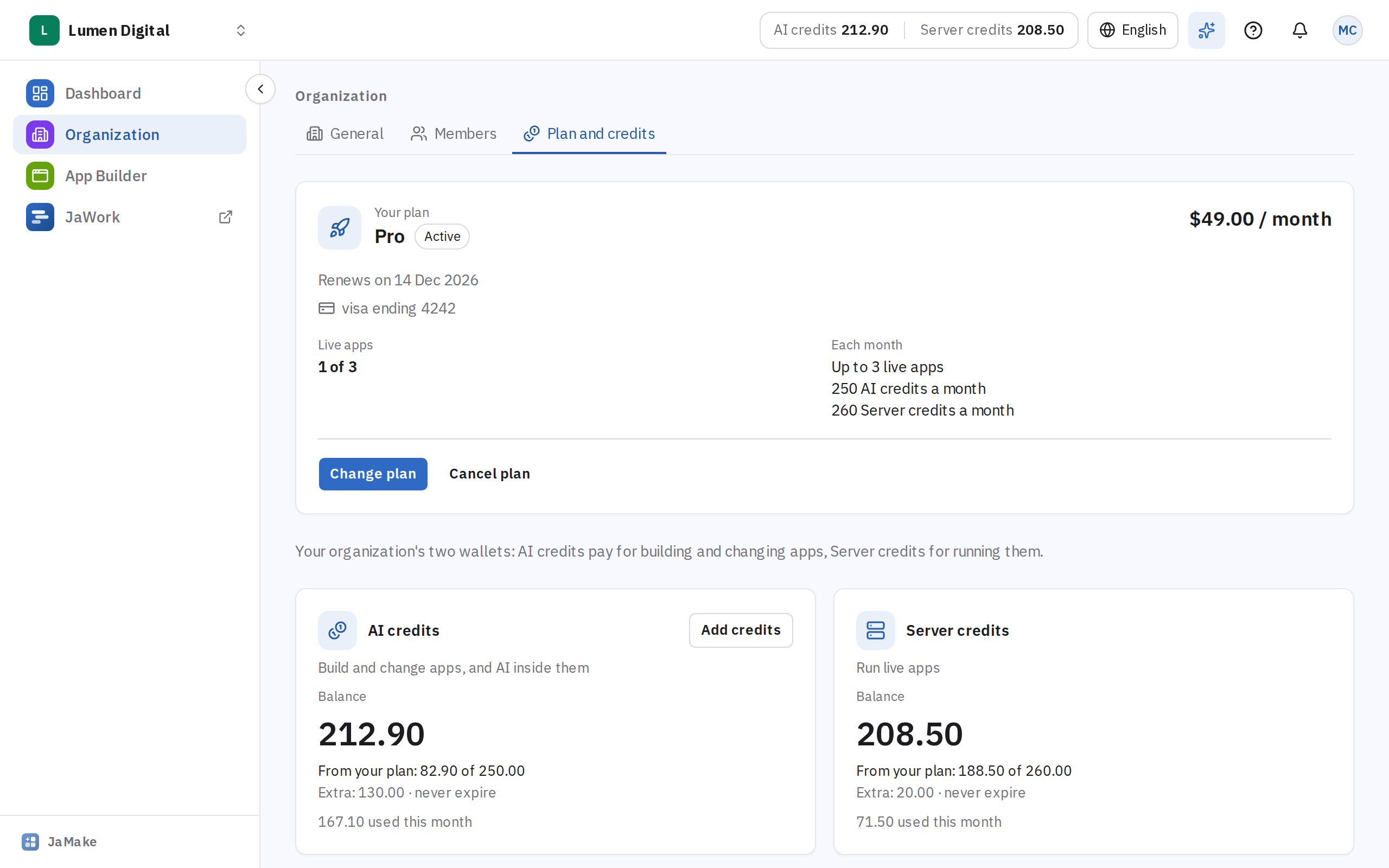
The plan card shows Payment failed, and the card is tried again. Your apps keep running for a grace period; the card says the day they pause unless the payment goes through. When it is paid, the plan is Active again and the apps start by themselves.
The plan ends
When a cancelled plan ends, your live apps pause at once. Choose a plan again and they start.
Stop an app yourself
An app you don’t need for a while can be stopped, so it uses no Server credits: open the ⋯ menu in its Changes screen and choose Stop app. Its data, files, backups and address are kept. Start app brings it back, within your plan’s live apps.
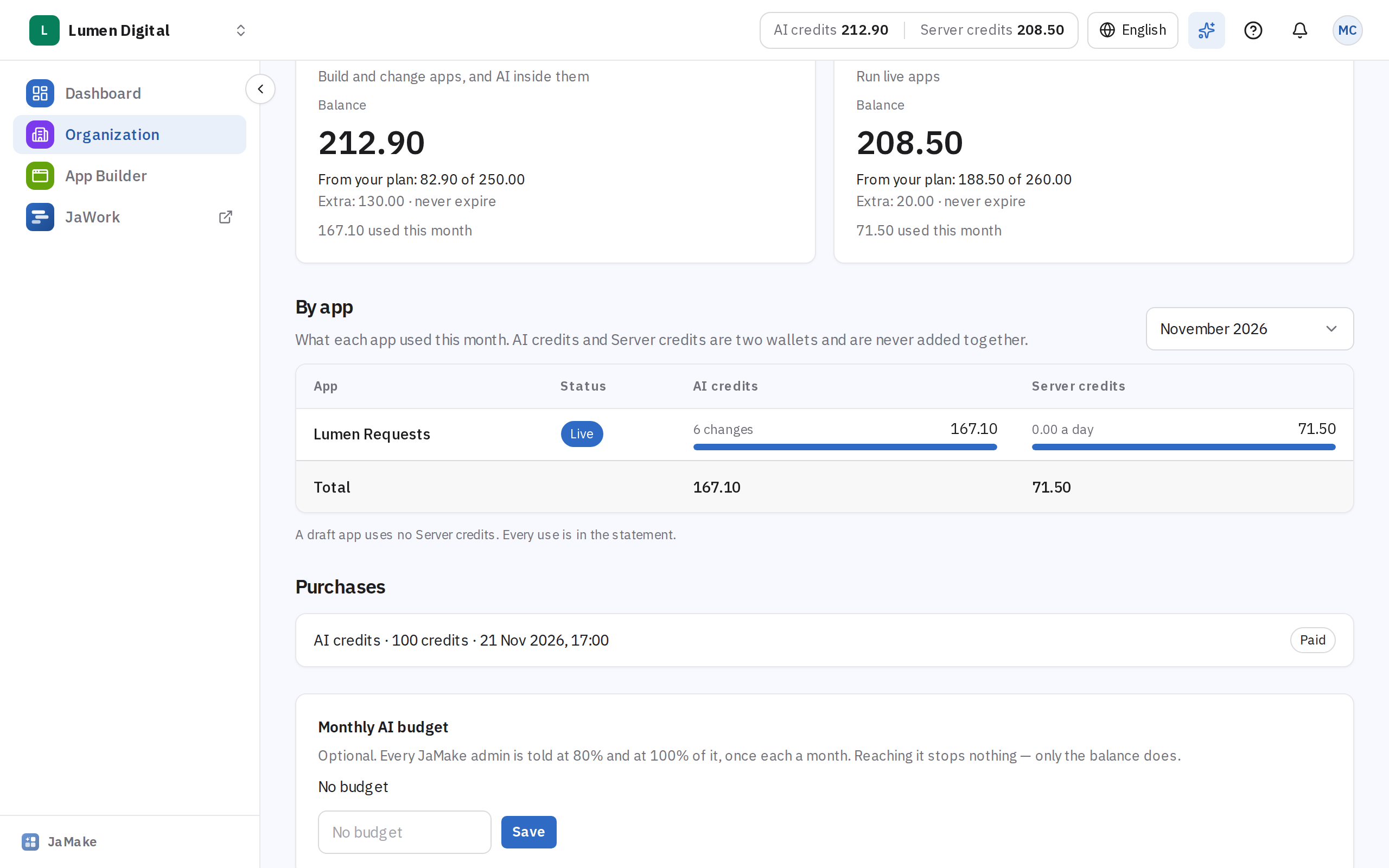
Tip: Watch By app on Plan and credits — it shows which app uses the most each month.
Was this helpful?
Thank you — it helps us improve the guide.