Builder's Guide · Getting started
What is JaMake?
2 min read ·
JaMake gives your organization ready business apps — a request workflow, a customer service desk, a sales CRM and more. You start from a template, change it by describing what you want, and JaMake builds the change, shows it to you, and runs the app for you.
This guide is for the people who build apps in JaMake. The people who use your apps sign in to the app itself.
Templates and apps
- A template is a working app with sample data, made and kept up to date by JaMake. You find them in the App store.
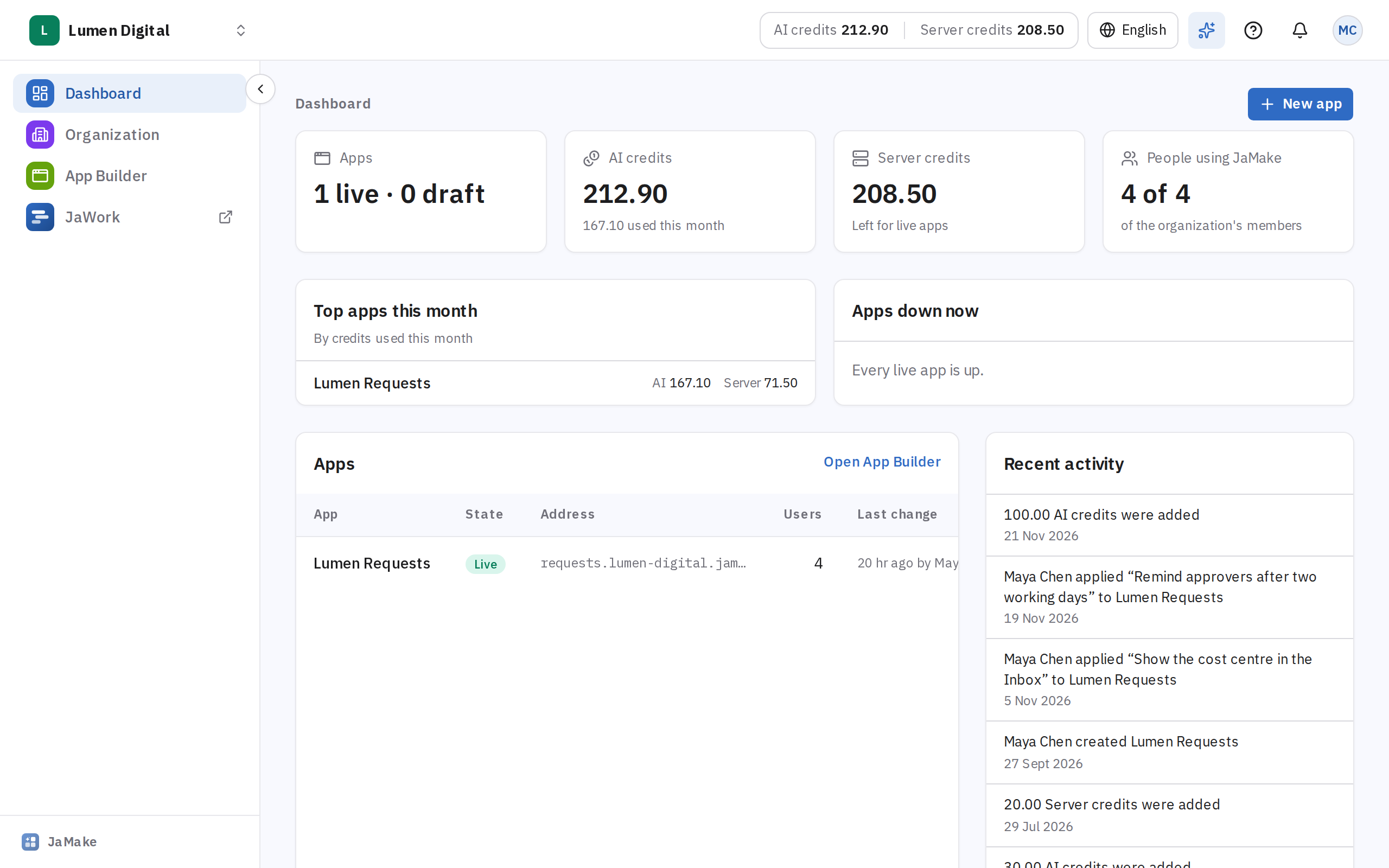
- An app is your own copy of a template, with its own address, its own database and your organization’s name on it. Lumen Digital, for example, made Lumen Requests for its purchase requests from the No-code Workflow & AI Assistant template.
- You can have several apps. Each one is listed in App Builder.
Changes
You change an app in your own words, in the Changes screen. JaMake asks what it needs to know, draws the change in your app’s look, writes it down, builds it and checks it. Nothing reaches the people using your app until an app admin applies it. See Describe a change in your own words.
Hosting is included
Every app runs on JaMake’s servers at its own address, with HTTPS. Its data is backed up every day and again before every change goes live. You don’t install anything, and there is no code to look after — JaMake keeps the code and runs it for you.
Two kinds of credits
- AI credits pay for building and changing apps, and for the AI inside them.
- Server credits pay for running live apps.
See What AI and Server credits pay for.
Find your way around
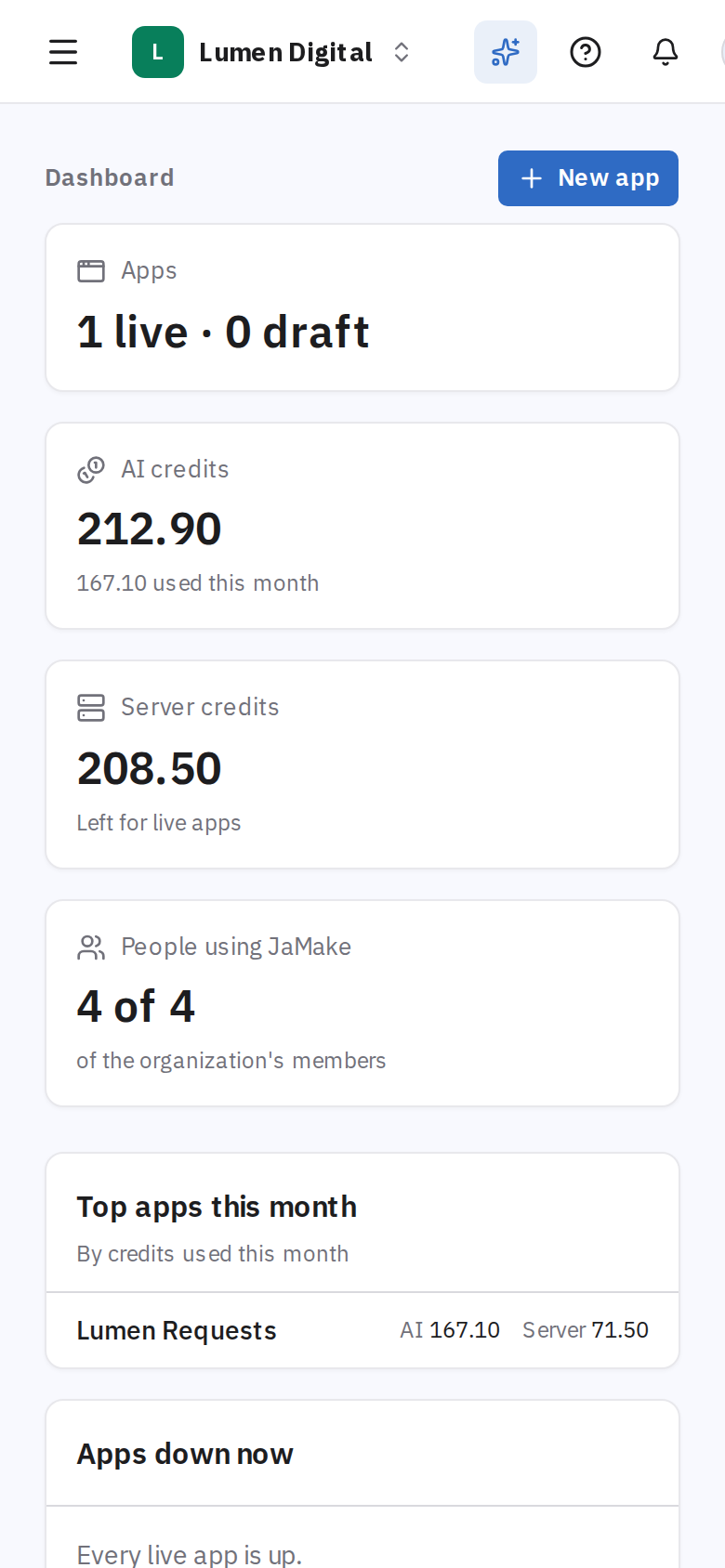
After you sign in you land on the Dashboard: your apps, your credits and what happened lately. The menu on the left has Dashboard, Organization and App Builder. On a phone the same pages fit the small screen.
Was this helpful?
Thank you — it helps us improve the guide.